Passkeys and U2F Security Keys
Under "Account / Customer data / Passkey/U2F" you can register a passkey or a U2F security key as a second factor for your account. If you have basic questions about passkeys, you can find more information here: Passkeys. This article covers U2F security keys.

U2F (Universal Second Factor) is a method based on the FIDO standard that uses a small hardware key to protect your account against password theft. Just as with the Authenticator, a second factor is then required for the login in addition to your username and password. In contrast to the Authenticator, where you type in a 6-digit code from your smartphone, with U2F you simply connect the security key, e.g. a YubiKey from Yubico, to your computer (or hold it against your smartphone via NFC) and press the button on it, if it has one – and you are logged in. U2F is very easy to use and also extremely secure. There is no need to manually enter codes as with the Authenticator.
We list a selection of U2F devices further down in this article.
Advantages of U2F security keys
In addition to the general advantage of cryptographically secured two-factor authentication, U2F offers several other technical advantages: It protects against so-called man-in-the-middle attacks, where, for example, a criminal manipulates the connection between the browser and the mail.fr servers. This is difficult, but conceivable in certain environments. In addition, U2F protects against phishing. If an attacker lures you to a website that looks exactly like mail.fr but can be reached at a typo domain such as https://nail.de, you may not notice the trick with the wrong domain, and the fake website may receive the login data you willingly entered. This cannot happen with U2F, because the security key also checks the domain, so that only https://mail.fr receives the U2F login data for access to the mail.fr mailbox.
Important information about U2F security keys
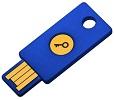
A U2F security key is a small device, about the size of a USB stick. As with all technical devices, it can stop working over time or get lost. We therefore recommend setting up another second factor such as the Authenticator and keeping your Backup Codes in a safe place. Alternatively, you can register two U2F security keys: keep one in a safe place, e.g. a lockable cabinet, and carry the other with you for regular use, for example on your key ring. If the key on your key ring breaks, you can fall back on the second, safely stored key.
Security keys are available with USB-A and USB-C connectors, and many models also support NFC. This means you can use them not only on a computer but also on smartphones and tablets: plug in a USB-C key directly, or simply hold an NFC-capable key against the device. When buying a key, make sure it fits the ports of your devices.
Logging in with a security key works in all current browsers, e.g. Google Chrome, Microsoft Edge, Mozilla Firefox and Safari – on Windows, macOS and Linux as well as on Android and iOS/iPadOS. Just keep your browser and operating system up to date.
Example U2F devices
In general, our service supports any security key based on the FIDO U2F or FIDO2 standard (FIDO2 keys are backwards compatible with U2F). Below we list some manufacturers and devices that are available in stores:
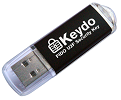
- YubiKey 5 and Security Key from Yubico (USB-A, USB-C, NFC)
- Google Titan Security Key
- Nitrokey 3
- Feitian ePass FIDO
- Neowave Winkeo FIDO2
- HyperFIDO from Hypersecu

Set up a U2F security key
To add a (further) U2F security key to your e-mail account:
-
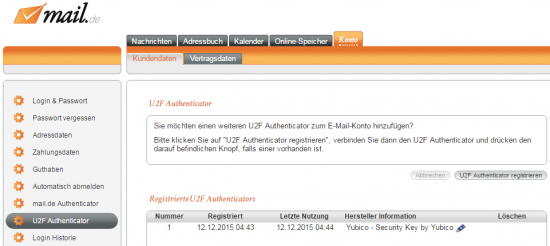
Click on "Account / Customer data / Passkey/U2F" in the settings mode.
-
Click on the button "Register U2F device".
-
Connect your U2F security key to the device and press the button on it, if it has one. The key will now be added to the list of devices and is ready to use.
-
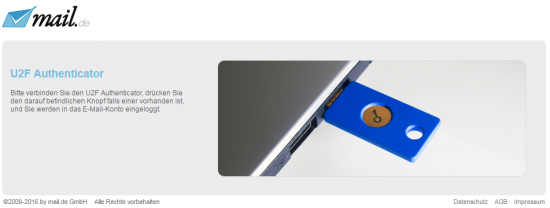
The next time you log in to the webmailer, after entering your username and password, you will also be asked to use the U2F security key. You will only be logged into the e-mail account if all three pieces of information (username, password and security key) are correct.
U2F on a Linux computer
Current Linux distributions usually detect security keys automatically. If your browser does not recognise your key during registration or login, it is probably missing the access rights to the USB device.
The following procedure solves the problem:
- Install your distribution's libfido2 package (on Debian/Ubuntu: libfido2-1) – it ships the required udev rules. Alternatively, create the file /etc/udev/rules.d/70-u2f.rules with the content from the following link: https://github.com/Yubico/libfido2/blob/main/udev/70-u2f.rules
- Then restart the system.
Your browser should then recognise the security key and have access to it.
If you have any further questions, we will be happy to assist you.

