Search help: Enter your search terms here
Change Payment Details
-
Log in to the login page using your credentials.
-
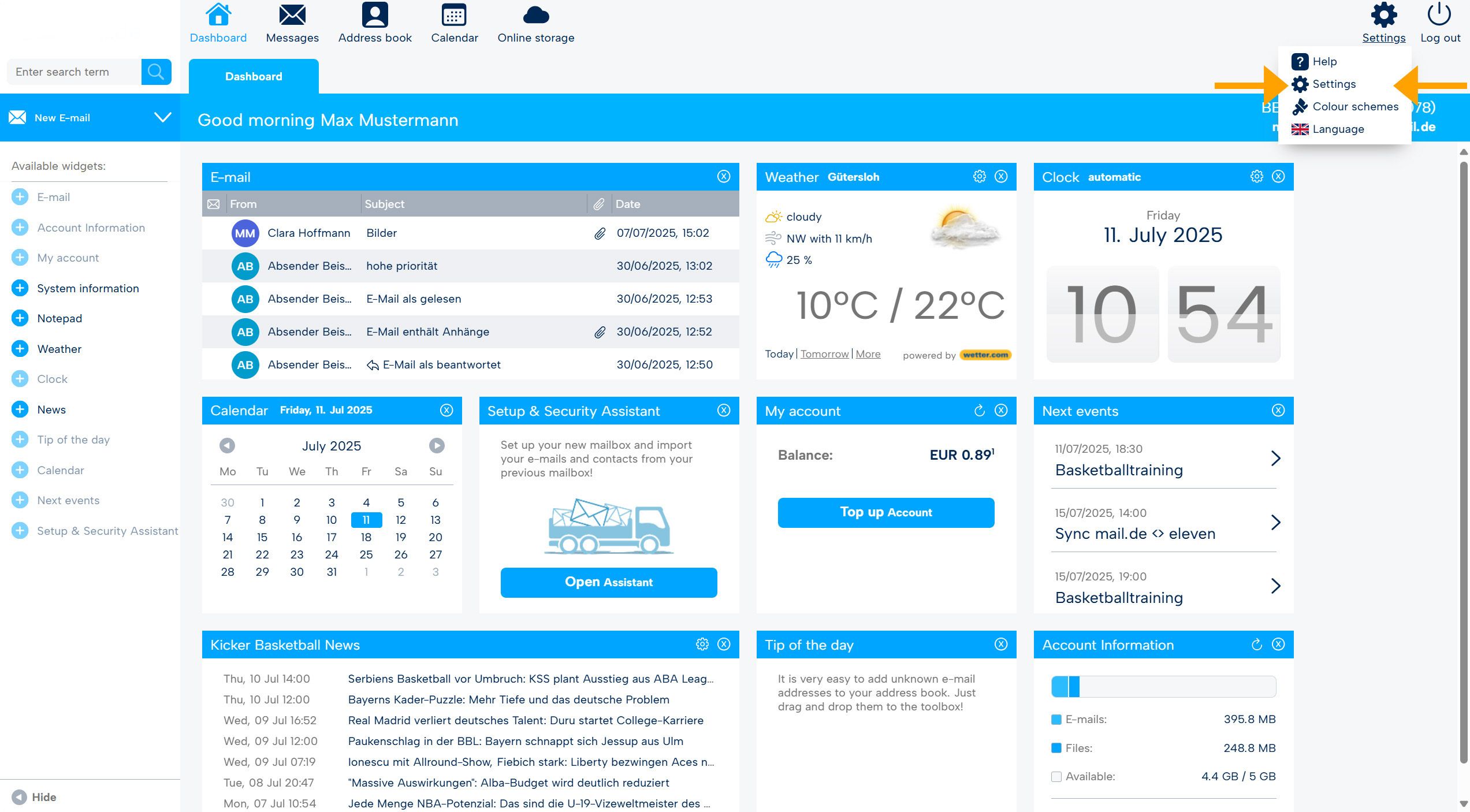
After logging in, you will be on the webmail start page. From there, switch to settings mode (top right).
-
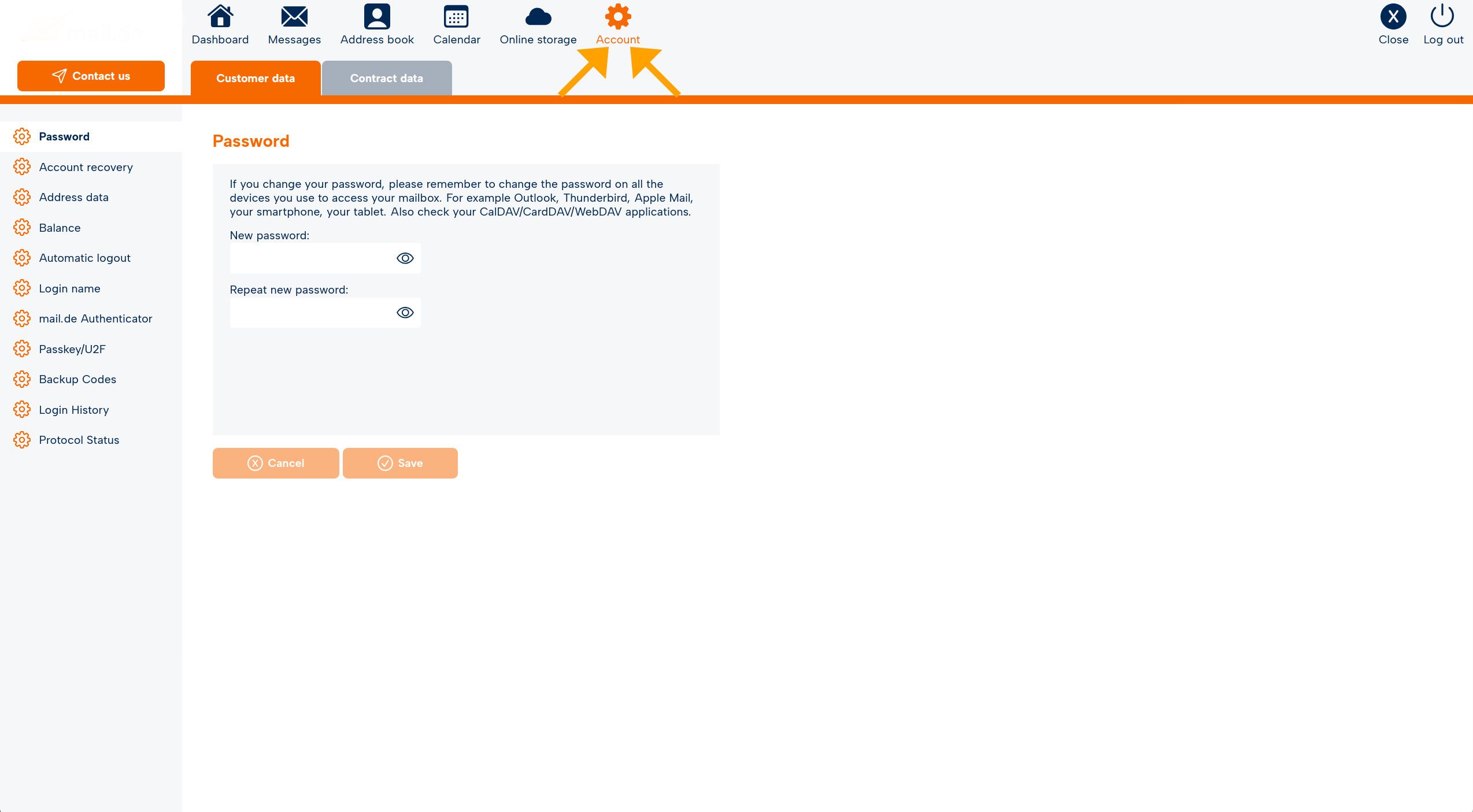
The navigation bar turns orange. Go to the "Account" tab.
-
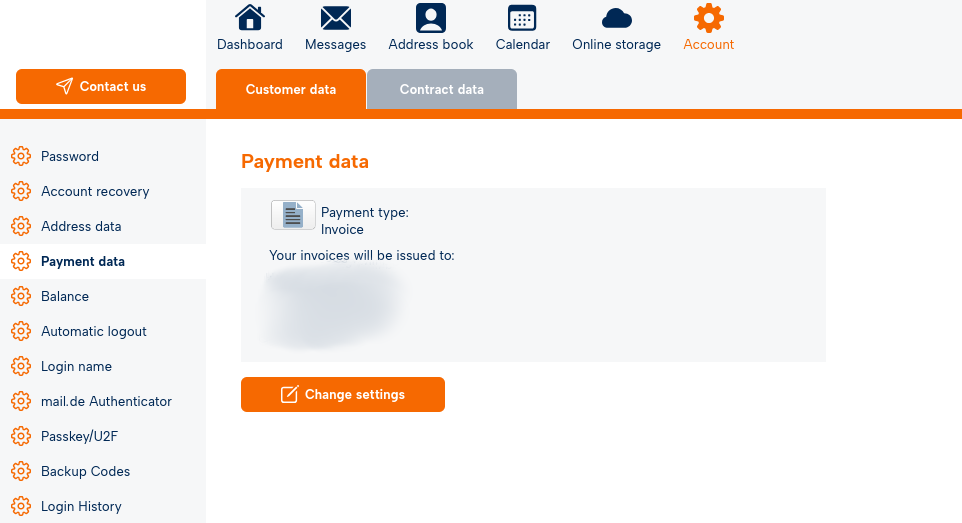
On the left side, you will now see several menu items. Select the menu item "Payment Details".
-
Then click "Change settings".
-
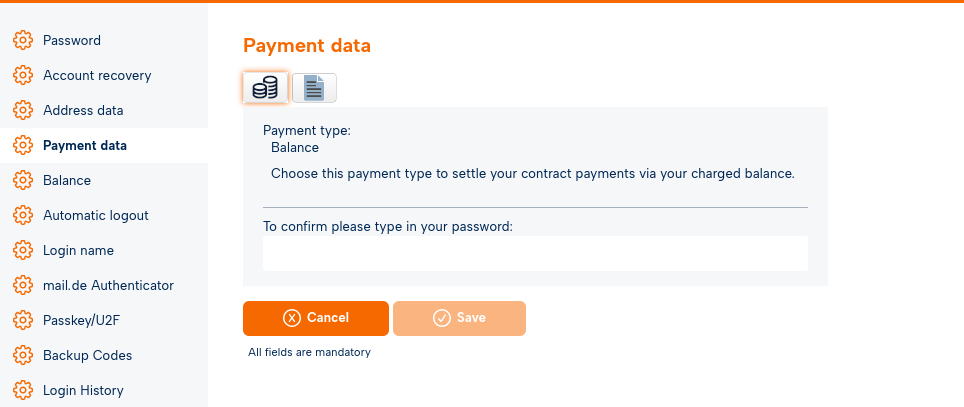
Here you can choose between the payment methods Invoice and Balance.
-
For the change to take effect, enter your password for confirmation and then click "Save".

