Email Attachments
With an email, you can easily send images, documents, or other files as attachments.
Adding Attachments
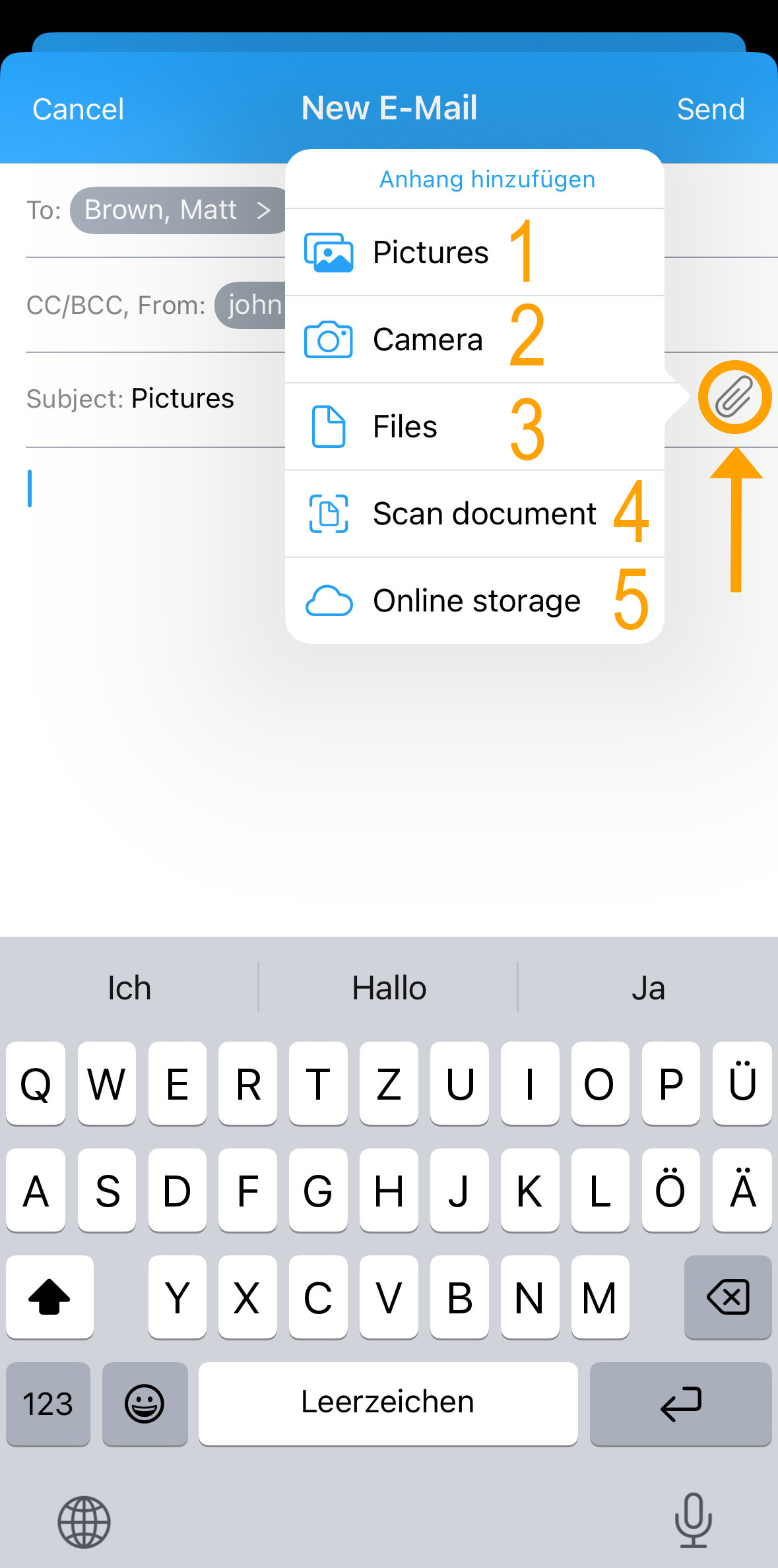
To attach a file, click the "paperclip icon" at the end of the subject line. A window will open with various file source options:
- Gallery – Choose an already saved photo or video.
- Camera – Take a new photo or video.
- Files – Access other saved files.
- Scan Document – Scan a document directly with the camera.
- Cloud Storage – Choose files from your linked cloud storage.
Depending on your selection, the appropriate menu will open. Select the desired file and confirm by clicking "Add" or "Open". The file will then be attached to the email.
Deleting Attachments
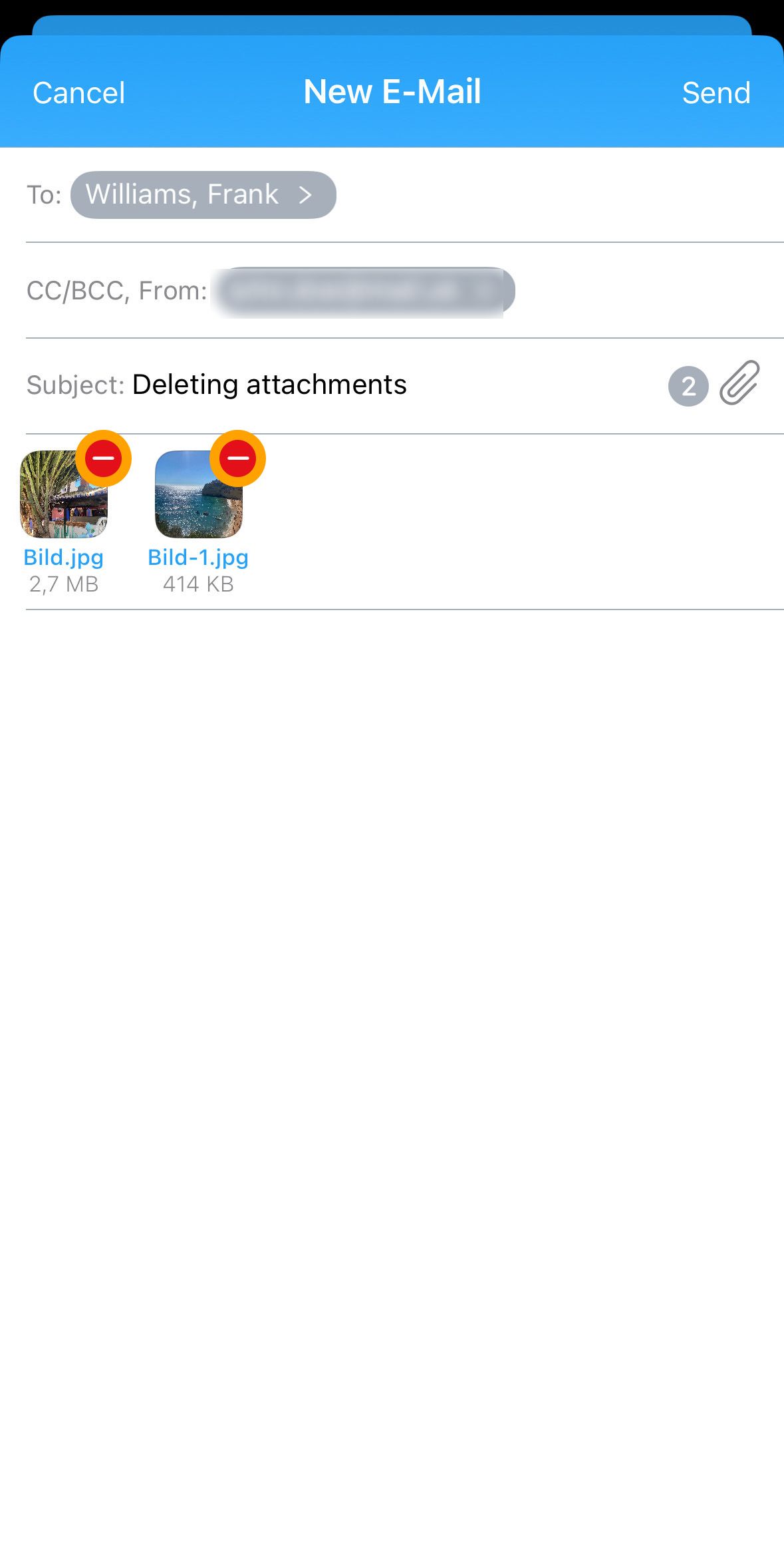
To remove an attachment, click the "red minus icon" in the upper right corner of the attachment.
Opening Attachments
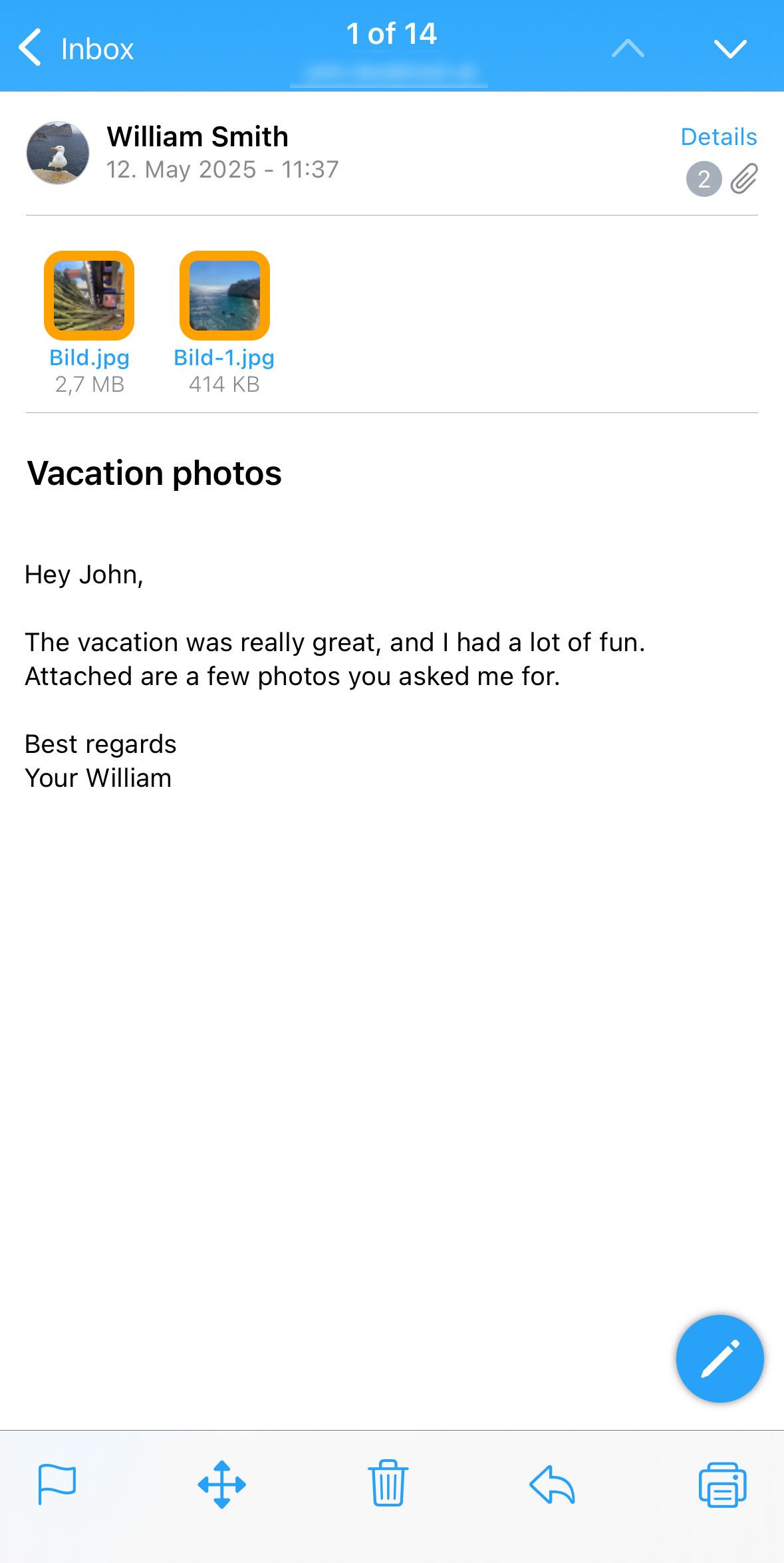
To open an attachment, simply tap on the corresponding icon.
Important note: Not all file formats are supported directly. Some files may need to be exported before you can open them.
Exporting Attachments
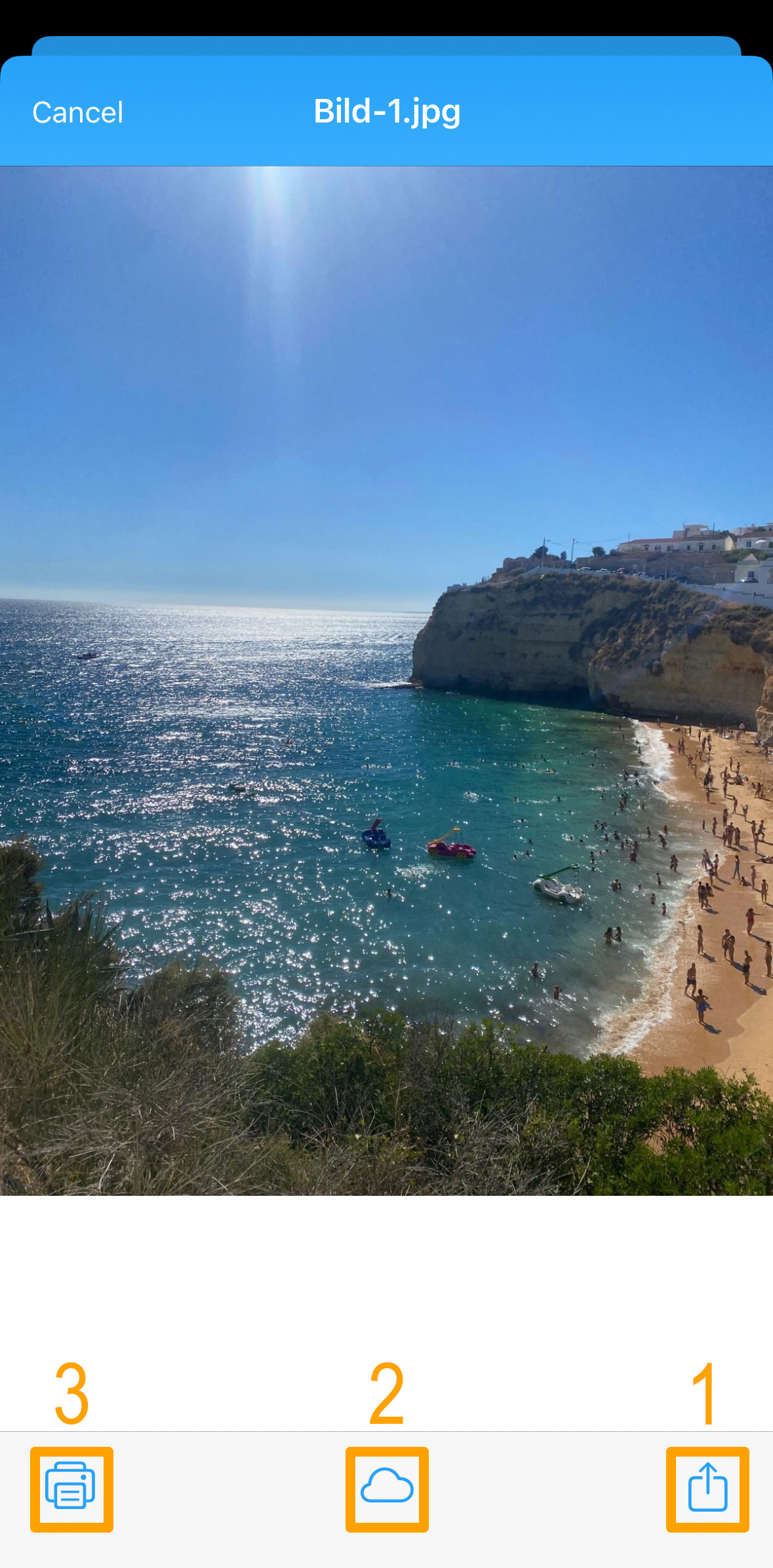
To export an attachment, tap on the attachment. A new window will open. At the bottom right, you will find the "Export button" (1). Then select where you want the file to be exported.
In addition to exporting, you can also:
- Move the file to cloud storage (Cloud icon) (2).
- Print the file directly (Printer icon) (3).

