Search help: Enter your search terms here
Creating a Contact
In the mail.fr app, you can manage contacts either in the internal mail.fr address book or in the device's internal address book.
mail.fr Address Book
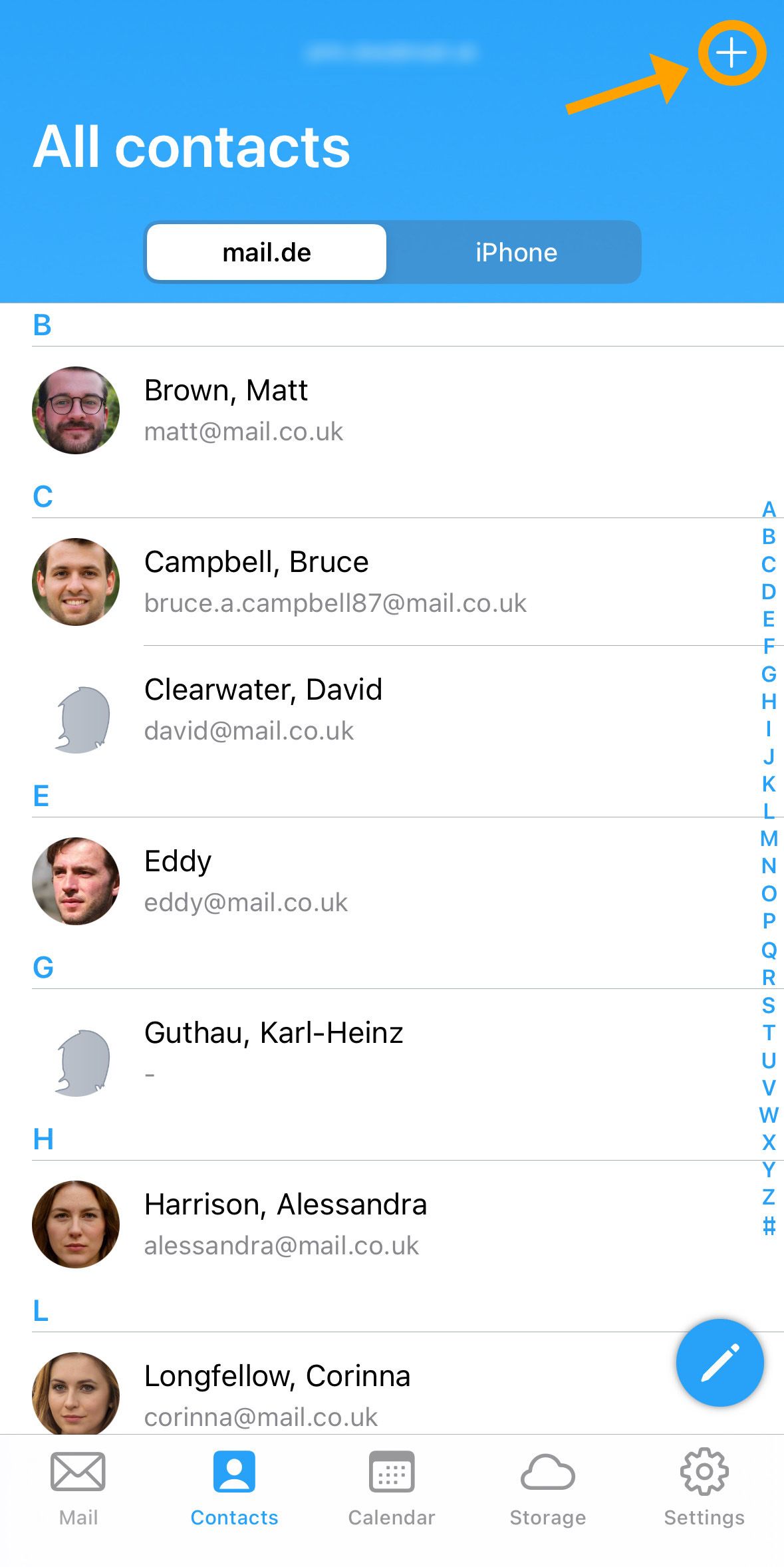
Here’s how to add a new contact:
-
Tap the "plus icon" in the top right corner of the screen.
-
In the following window, enter the desired contact information. A display name is required to save the contact.
You can provide the following details:
- Profile picture
- Title
- First name
- Last name
- Display name
- Email address
- Phone number
- Messenger
- Social network
- Address
- URL
- Date
- Note
-
Tap "Save" to create the contact.
Contacts in the mail.fr address book are automatically available via autocompletion when composing emails, SMS, or faxes.
Device's Internal Address Book
The device’s internal address book shows the contacts saved on your smartphone or tablet.
- You cannot create or edit these contacts directly in the mail.fr app.

