Set up CardDAV Connection on an Android Phone
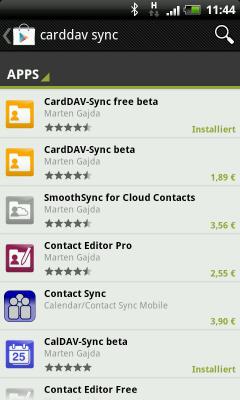
To use CardDAV on an Android phone, you need an external app available from Google Play.
We recommend the app "CardDAV-Sync free beta" or its paid version "CardDAV-Sync beta" by Marten Gajda.
For details on the differences between the versions, see: https://dmfs.org/carddav/
- After installing the app, open it and tap "Add new account".
- Enter the following information in the corresponding fields:
- Server name or URL: adressbuch.mail.de
- Check "Use SSL"
- Username: your mail.fr prefix (everything before the @ in your email address)
- Password: your mail.fr password
- Tap "Next".
- Give the account a name. By default, "All mail.fr Contacts" is entered.
- If you want changes to sync both ways (phone ↔ mail.fr) and not just from mail.fr to your Android phone,
uncheck "Sync from server to phone only". - Tap "Finish".
- The CardDAV account is now set up.
- When you open the contacts app, you will be prompted to add the new CardDAV contacts to the "All Contacts" list.
- Tap "OK".
- The new address book is now available.
You can also display it individually by clicking the arrow at the top.
Normally, "All Contacts" shows a combined list of all contacts from all address books.
Important Note: Because the Android contacts app cannot edit CardDAV contacts directly,
you must install an additional app: "Contact Editor Free" or "Contact Editor Pro".

